How to Watch Netflix Together: A Step-by-Step Guide
Missing your friends during movie night? Whether you're in a long-distance relationship, living abroad, or just can't get everyone in the same room, Watch Netflix Together makes it feel like you're on the same couch.
This guide walks you through everything you need to know to start a Netflix watch party in under a minute.
What is Watch Netflix Together?
Watch Netflix Together is a free Chrome extension that synchronizes Netflix playback between multiple viewers in real time. Everyone sees the same frame at the same time, and you can chat in a built-in sidebar without needing a separate app.
Here's what makes it different from other watch party tools:
- No sign-up required. Just your email for a one-time verification.
- No extra accounts. Works directly with your existing Netflix subscription.
- Real-time sync. Play, pause, seek, and episode changes sync instantly.
- Built-in chat. React with emojis and messages without leaving Netflix.
- Works on any Netflix title. Movies, series, documentaries, everything.
Step 1: Install the Chrome Extension
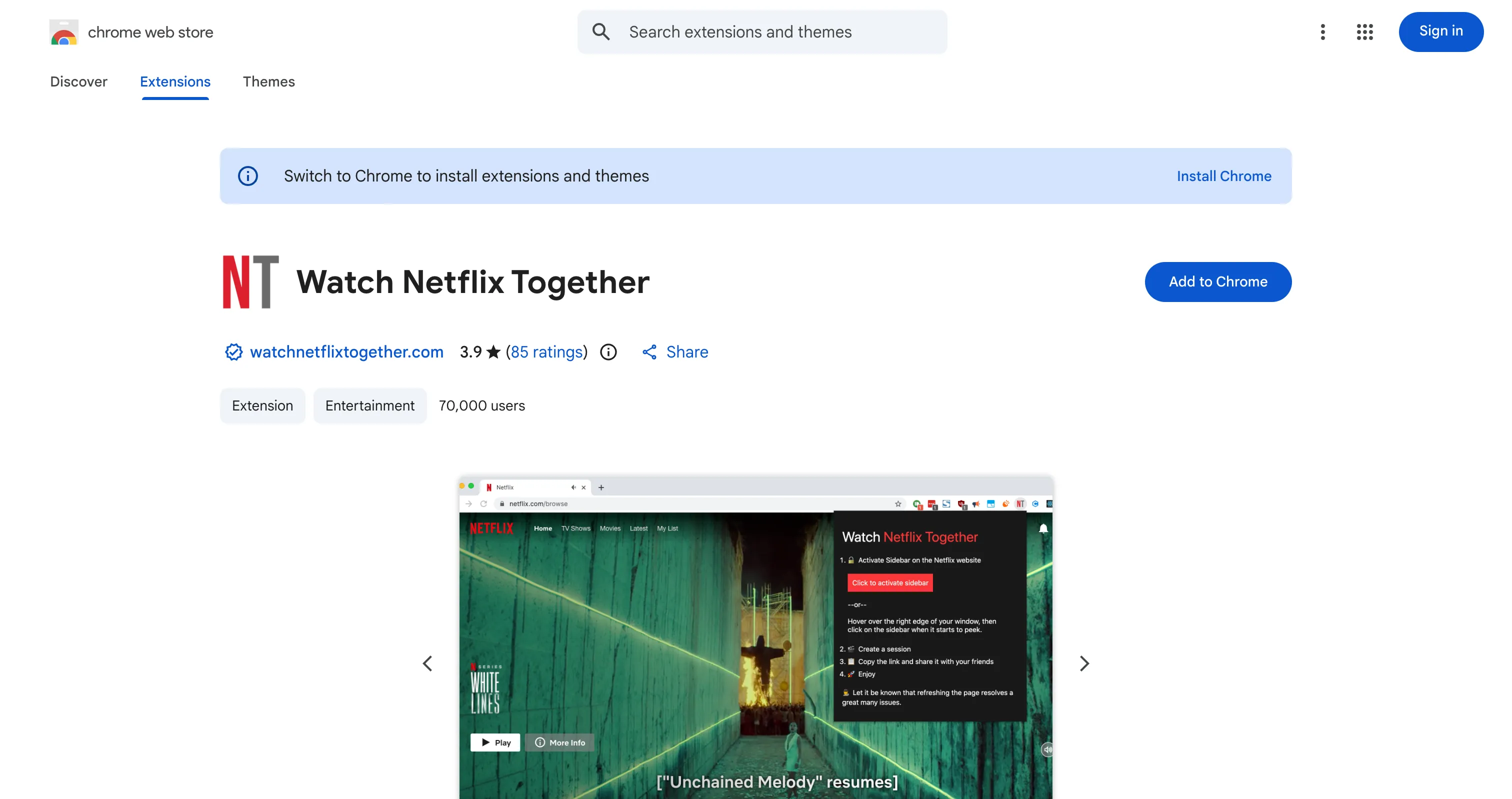
Head to the Chrome Web Store and click "Add to Chrome". The extension installs in about 10 seconds and doesn't require a restart.
You'll see a small NT icon appear in your Chrome toolbar. That's it, you're ready to go.
Tip: Pin the extension to your toolbar for quick access. Right-click the puzzle piece icon in Chrome and select "Pin".
Step 2: Open Netflix and the Sidebar
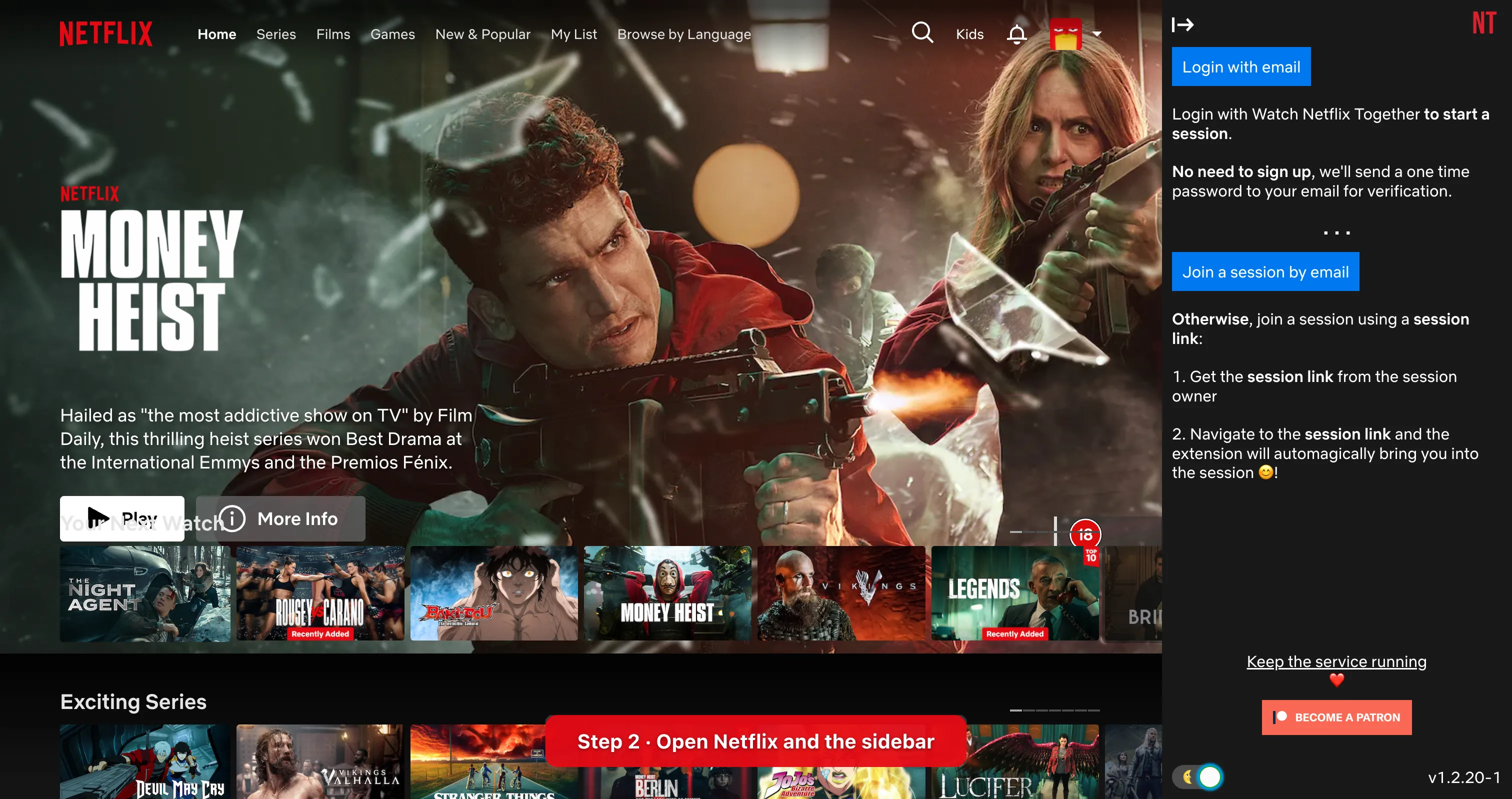
Navigate to netflix.com as you normally would. Click the NT extension icon in your toolbar to open the sidebar.
The sidebar slides in on the right side of your screen. You'll see a simple login prompt where you enter your email address. We'll send you a one-time password (no account creation, no passwords to remember).
Once verified, you're in. The sidebar shows you options to either:
- Start a new session (you're the host)
- Join an existing session via a link someone shared with you
Step 3: Create a Session
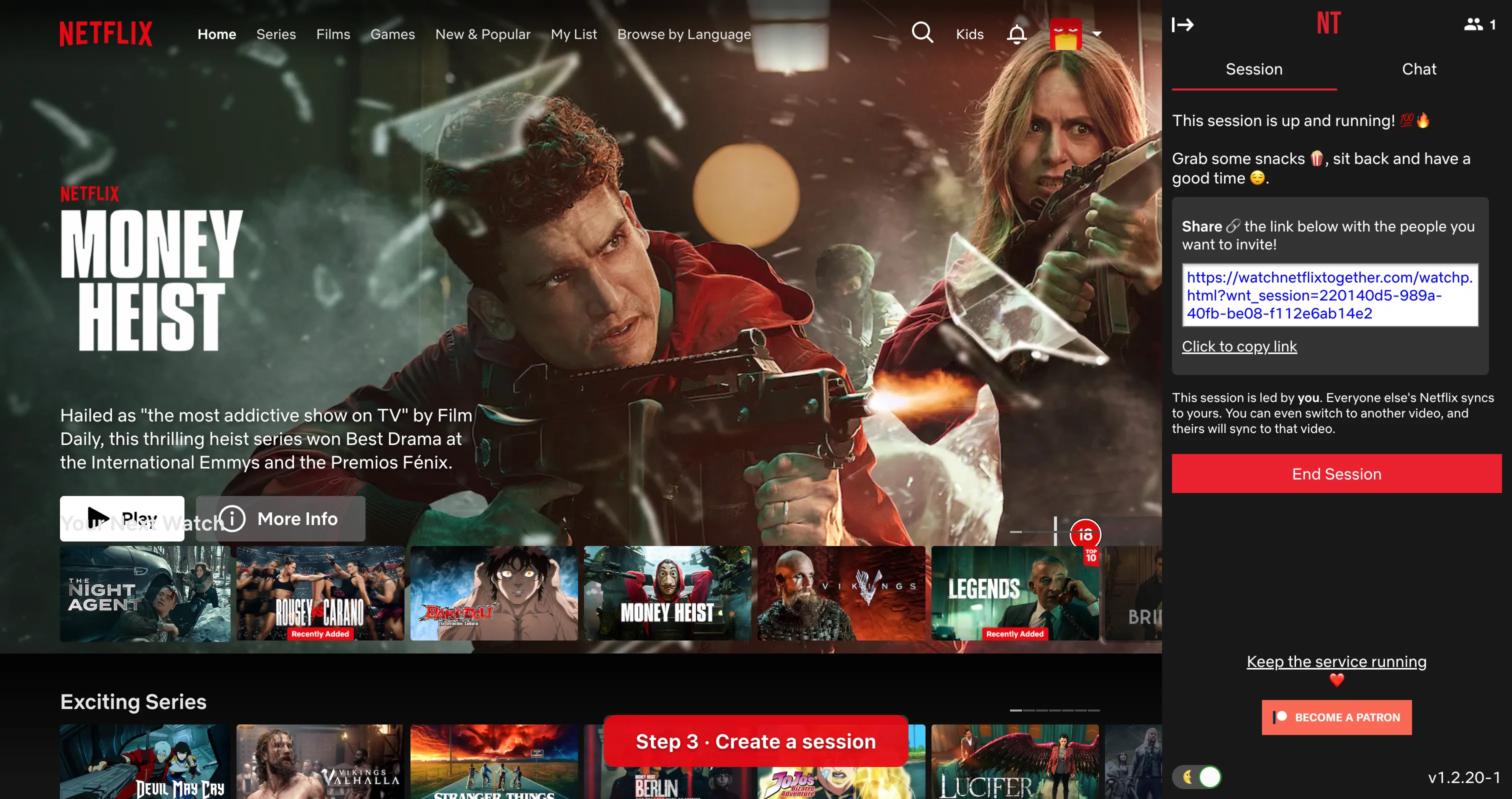
Click "Start a session" and you're live instantly. Here's the beautiful part: you don't even need to pick a video first. You can browse Netflix together with your friends and decide what to watch as a group.
Once the session is created, you'll see:
- A confirmation that the session is running
- A shareable link to invite friends
- The number of people currently in the session
- An "End Session" button (only the host sees this)
The session stays active as long as at least one person is connected. You can switch between movies and episodes freely, and everyone in the session follows along automatically.
Step 4: Share the Link
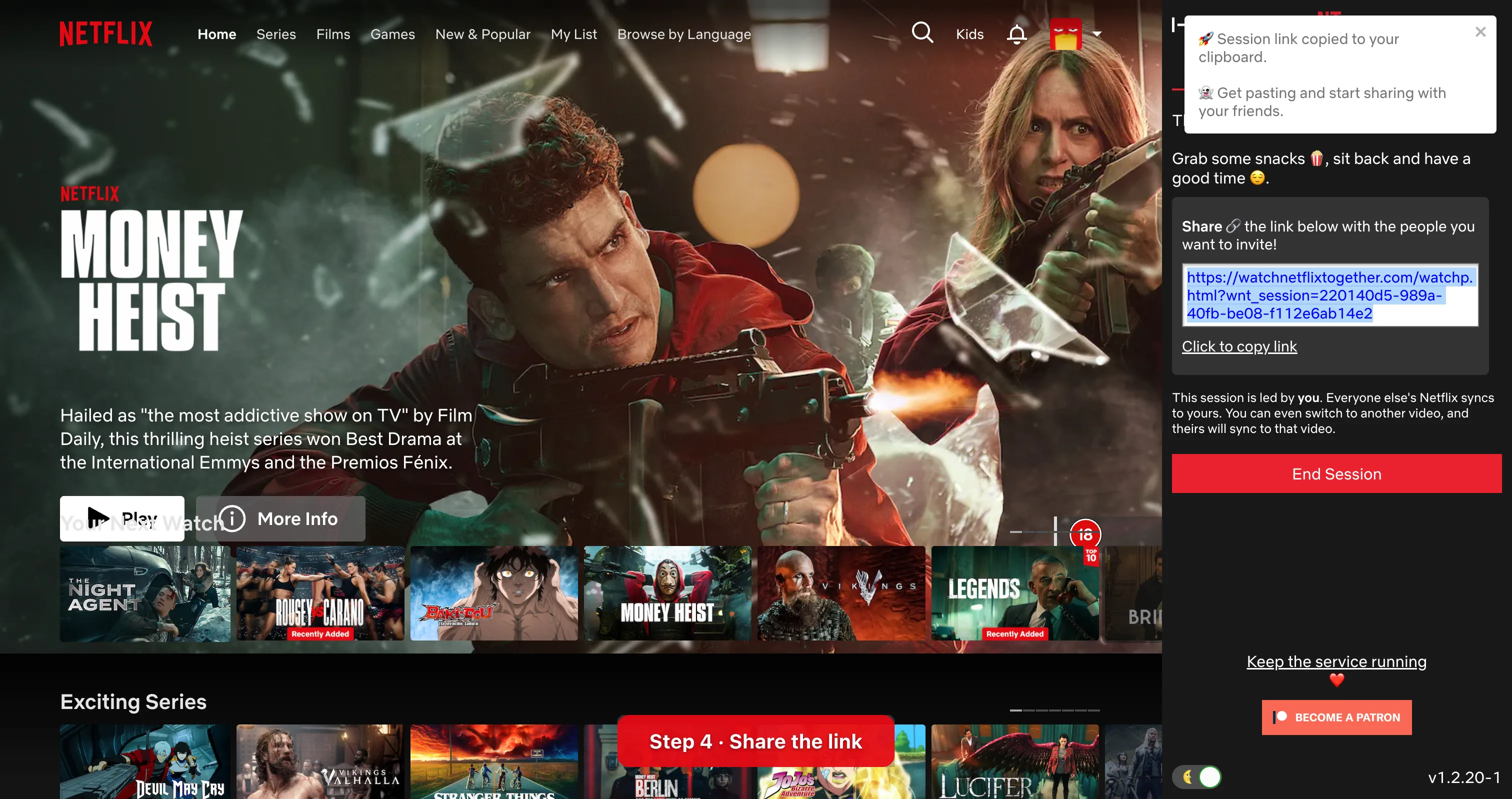
Click "Copy link" and the session URL is copied to your clipboard. Send it to your friends through any channel: WhatsApp, iMessage, Discord, email, carrier pigeon (okay, maybe not that last one).
Your friends just need to:
- Have the extension installed (one-time setup)
- Click the link you sent
- That's it. They're in.
No codes to type. No rooms to search for. No accounts to create. One link is all it takes.
Step 5: Enjoy the Show!
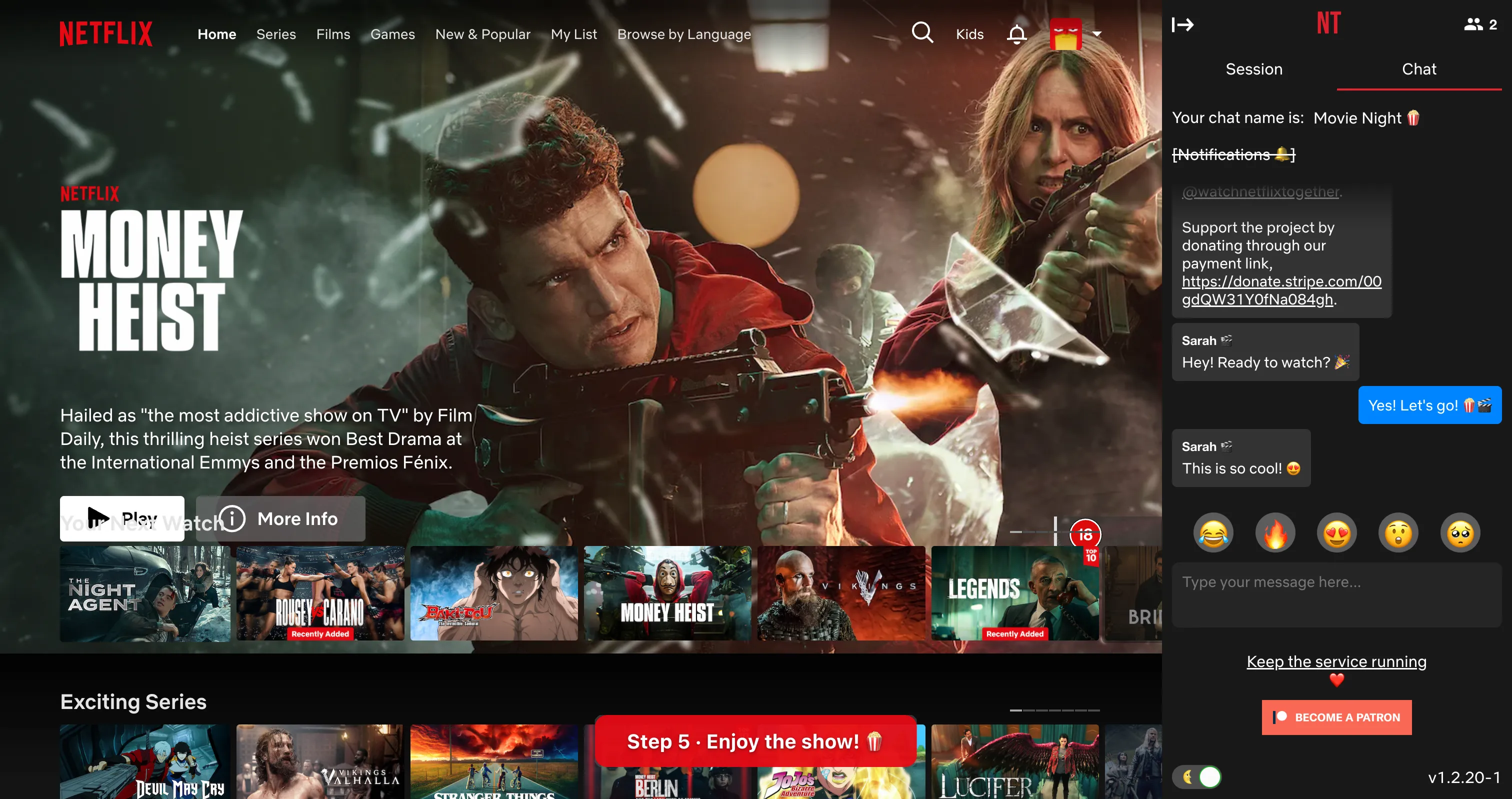
Once everyone's in, the magic happens:
- Playback is perfectly synchronized. When someone pauses, everyone pauses. When someone seeks, everyone jumps to the same spot.
- Episode transitions are seamless. When an episode ends, the next one loads for everyone automatically.
- Chat is built right in. Send messages and react with emojis without switching apps. The chat panel lives in the sidebar so you never leave Netflix.
Pro tips for the best watch party experience:
- Use headphones if you're on a voice call at the same time
- Pick a show everyone's on the same episode of, or start a new series together
- Prepare snacks before because once you start, you won't want to pause!
- Use the chat. Reacting in real time makes it feel like you're really together.
Frequently Asked Questions
Does everyone need their own Netflix account?
Yes, each viewer needs their own Netflix subscription. The extension syncs playback between accounts but doesn't share login credentials or stream content.
Is it really free?
The core experience is free: synced playback, chat, and session sharing all work without paying anything. There's an optional premium tier if you want to support the project and unlock extras, but it's not required to use the extension.
Does it work on other streaming services?
Currently, Watch Netflix Together is built specifically for Netflix. We're exploring other platforms for the future.
What about latency?
The sync is near-instant (typically under 200ms). You won't notice any difference in practice. Reactions in chat line up perfectly with what's on screen.
Can I use it on mobile?
The extension requires a desktop Chrome browser. Mobile browsers don't support Chrome extensions (yet). For the best experience, use Chrome on a laptop or desktop.
Ready to Start?
Setting up a Netflix watch party takes less than 60 seconds. Install the extension, create a session, share the link, and you're done.
Distance shouldn't stop you from sharing moments with the people you love. Happy watching!
Ready to start watching together?
Get the free extension